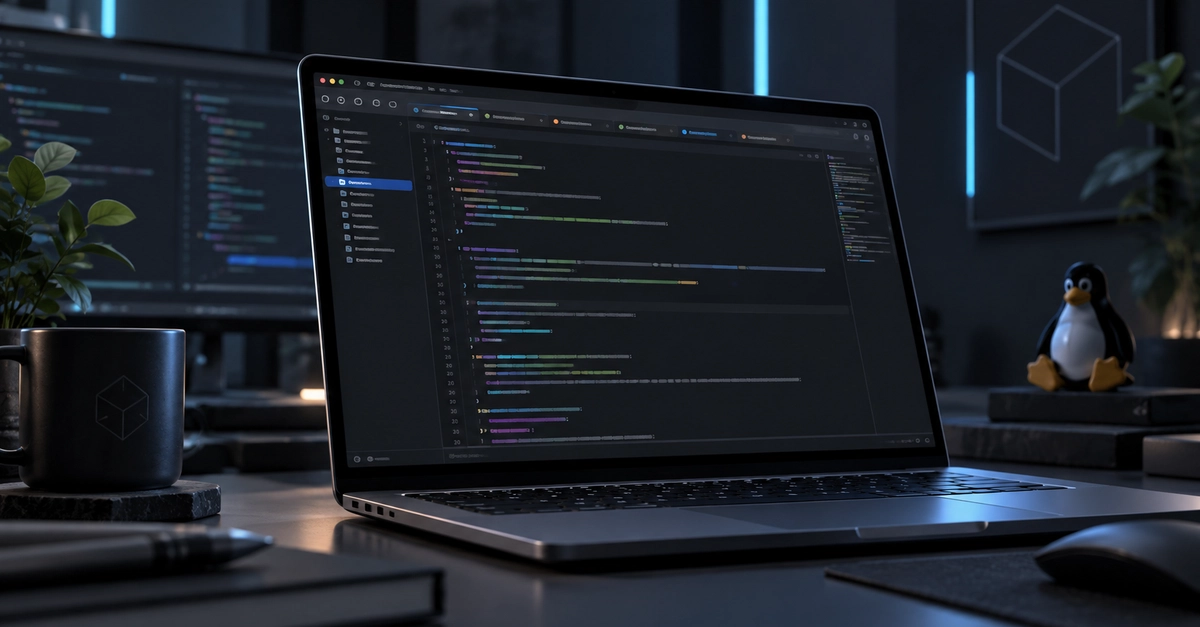


I've been wanting to experiment with GPUI for a while now. It's the Rust UI framework developed for Zed, and I was curious what it would be like to use it for something of my own.
So, naturally, I decided to build a text editor.
Because apparently the best way to learn a new UI framework is to pick a project that already has about a million little details to get right.
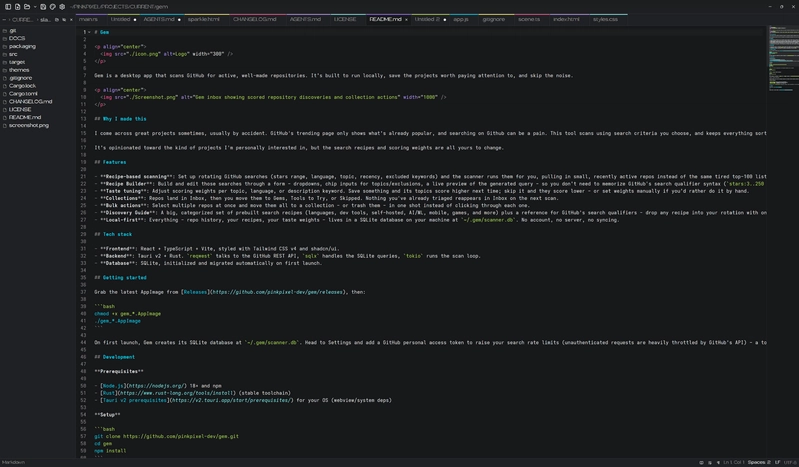
Anyway, the result is Slate, a lightweight, native text editor for Linux, built with Rust and GPUI Kit.
Why GPUI?
Most of the desktop apps I've worked on have used web technologies, so I wanted to try something different.
GPUI caught my attention because it's the framework behind Zed, and I really like the idea of building native desktop interfaces with Rust.
Rather than having a web frontend wrapped in a desktop shell, GPUI lets you build the interface directly in Rust.
Of course, that also means learning a different way of thinking about UI development.
I was especially interested in seeing how practical it would be to build a complete application with it, rather than just experimenting with a few buttons and windows.
Discovering GPUI Kit
One thing I quickly realized is that GPUI itself isn't a complete collection of ready-made application components.
And writing an entire text editing component from scratch wasn't exactly what I had in mind.
Thankfully, I found GPUI Kit.
GPUI Kit provides a collection of components built on GPUI, including things like tabs, dialogs, menus, trees, themes, and most importantly for this project, an actual text editor component.
That last part made a huge difference.
Building a text editor involves a lot more than displaying text and responding to keyboard input. You need to deal with cursor movement, selections, undo history, syntax highlighting, multiple cursors, and all kinds of behavior that people expect to just work.
GPUI Kit already handles much of that.
It gave me a foundation to build on so I could focus on making the application I wanted rather than spending forever implementing basic editing functionality.
That doesn't mean everything was plug-and-play, though.
Building Slate
I wanted Slate to fit somewhere between a very basic text editor and a full-featured editor like Kate.
Something I could open quickly to edit a config file, work on some Markdown, or browse a few source files without launching an entire IDE.
I also wanted it to look nice. That's important to me, even with small utility apps.
One of the things I particularly wanted was color-coded tabs. When I have a bunch of files open, I like being able to distinguish them at a glance.
GPUI Kit has a tab component, but it didn't support the drag-and-drop reordering or colored accent lines I wanted.
So I built Slate's tab strip myself using GPUI, while still using Kit's components for things like context menus and tooltips.
That ended up being a pretty good example of how I approached the project: use GPUI Kit wherever it made sense, then build the parts that needed something different.
The same thing happened with the find and replace bar. GPUI Kit already has the underlying search functionality, but I wanted the interface to sit neatly above the editor instead of floating over it.
So I reused Kit's search engine and built my own interface around it.
I actually enjoyed that flexibility quite a bit.
Some things I learned along the way
Working with GPUI and GPUI Kit was interesting, but there were definitely some challenges.
One of the biggest lessons was learning to work within the public APIs that the component library exposes.
For example, GPUI Kit supports multiple cursors, but the version I'm using doesn't expose a public method for programmatically adding a selection at a specific range.
That meant a feature I wanted, Ctrl+D to select the next occurrence of some text, wasn't something I could easily implement without modifying the library.
It's on hold for now.
Another interesting challenge was the minimap.
I wanted a little overview of the file along the right side, similar to what you see in VS Code.
The problem was that GPUI Kit's editor doesn't expose all the layout and syntax information needed to draw one directly.
I ended up creating a custom minimap using GPUI's canvas rendering, with a separate syntax highlighter providing the colors.
There's also a catch with wrapped lines. Without access to the editor's exact line layout, the minimap's viewport indicator wouldn't always line up correctly.
Rather than leave something that behaved incorrectly, I decided to hide the minimap when word wrap is enabled.
Not the most exciting compromise, but it works reliably.
I ran into some other interesting issues with theme reloading, file watching, keyboard events, and Linux window behavior.
These are exactly the kinds of details that are easy to overlook until you're building an application that needs to handle them.
And honestly, working through those problems was a big part of why I wanted to try this project in the first place.
What Slate can do now
Even though I started Slate as a way to learn GPUI, it ended up becoming a pretty capable little editor.
Some of the features in the first release include:
- Syntax highlighting for 23 languages, powered by Tree-sitter through GPUI Kit
- Multiple tabs, including drag-and-drop reordering and customizable tab colors
- 39 built-in themes, including Catppuccin, Gruvbox, Tokyo Night, and several Slate-specific themes
- File sidebar with automatic updates, folder navigation, and hidden-file controls
- Find and replace, Quick Open, and a searchable command palette
- Session restore, including unsaved edits, so you can pick up where you left off
- Live Markdown preview in a split view
- Syntax-colored minimap for navigating longer files
- Clickable color swatches for editing hex, RGB, and HSL colors
- File change detection, including the ability to compare your edits against the version on disk
There are plenty of smaller conveniences too, like line duplication, moving lines up and down, comment toggling, indentation detection, and opening files directly from the terminal.
I also made the themes customizable. You can drop a JSON theme file into Slate's themes folder and edit it while the app is running. Slate watches for changes and updates the appearance automatically.
That was a particularly fun feature to get working.
The first release is available
Slate 1.0 is now available on GitHub.
It's currently Linux-only, and I've been developing and testing it on CachyOS with the COSMIC desktop.
If you're using Arch or an Arch-based distribution, you can install it from the AUR:
yay -S slate-editor
Or, if you'd rather build it yourself:
git clone https://github.com/pinkpixel-dev/slate.git
cd slate
cargo run --release
You'll need Rust 1.92 or newer and a working Vulkan driver. I've included more detailed requirements and instructions in the README.
And since this is the first release, I definitely wouldn't claim it's perfect. I've only tested it on my own desktop environment so far, and I'm sure there are things that will need adjusting as it gets used on other systems.
What's next?
I'm happy with how the first version turned out, but I don't consider Slate finished.
There are still features and improvements I'd like to explore, especially as GPUI Kit continues developing and potentially exposes more of its editor functionality.
At the same time, I don't want Slate to turn into another full IDE.
There are already plenty of excellent editors that do that.
My goal is to keep it lightweight, useful, and pleasant to work with. Something that does the everyday editing stuff really well without needing a hundred additional features.
Final thoughts
Building Slate gave me a much better understanding of GPUI and what it's like to develop a native desktop application with Rust.
I also came away with a lot of appreciation for how much work goes into something as seemingly simple as a text editor.
It's one of those applications where the interface might look straightforward, but there's an incredible amount happening underneath.
GPUI Kit made this project much more approachable, and having the option to mix its existing components with custom GPUI interfaces was probably my favorite part of working with it.
I'm definitely interested in experimenting with GPUI some more.
If you're curious about the project, the source code is available here:
And if you've worked with GPUI or GPUI Kit yourself, I'd love to hear what your experience has been like!
Top comments (2)

-
Email
-
LocationVosges, France
-
PronounsHey
-
WorkLead Tech/Dev
-
JoinedFeb 27, 2025
Different bet, same rejection: GPUI vendors its own rasterizer to skip the web stack, navette drives the engine the OS already ships to skip the browser download — both refusing to treat the web runtime as desktop luggage. Editor looks clean; the color-coded tabs are the detail I'd want.

You need to complete account verification.Link in the profile.
For further actions, you may consider blocking this person and/or reporting abuse